Printed ID cards often look sharp when they leave the printer, with dark text, clean photographs, and clear security details. Months later, the same card may appear pale, scratched, or slightly yellow. This change can affect readability and reduce confidence during everyday identification checks.
Why do printed ID cards fade over time? The answer usually involves several connected factors, including sunlight, heat, moisture, friction, cleaning chemicals, poor materials, and unsuitable storage. Ultraviolet light can weaken printed pigments, especially when cards remain near windows or inside vehicles. High temperatures may also damage protective layers and cause colors to lose their original strength.
Daily handling creates another visible problem. Cards rub against wallets, lanyards, desks, and pockets. Small scratches can remove surface ink gradually. Frequent contact with water, alcohol wipes, or household cleaners may worsen the damage. In my experience, storage habits are often overlooked. A card kept loose beside keys will usually age faster than one stored in a protected sleeve.
Not every faded card has the same cause. Some printers use more durable ribbons, while others produce prints that depend heavily on protective overlays. Card thickness, coating quality, and environmental exposure also influence performance. Even careful users may notice fading earlier than expected. This guide examines seven practical reasons printed ID cards fade and explains what organizations can do to improve durability, maintenance, and visual reliability.
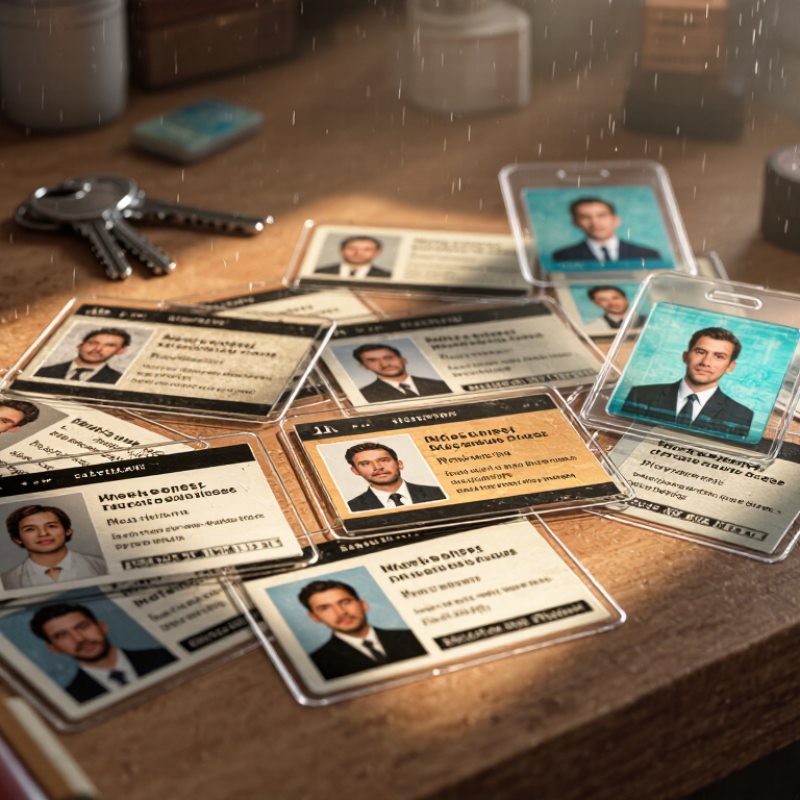
7 Best Reasons Why Printed ID Cards Fade Over Time?
UV exposure is one of the clearest causes of fading on printed ID cards. Sunlight reaches cards through windows, vehicle dashboards, and outdoor access points. UV energy slowly weakens dyes, pigments, and protective layers. Dark photographs may lose contrast first. Fine text can look gray.
ASTM G154 provides a controlled method for studying this damage. An eight-hour UV-A cycle exposes test samples to fluorescent UV-A radiation under defined conditions. Technicians can compare cards before and after repeated cycles. The test may also include condensation or water spray, depending on the selected procedure. Those details matter. A card tested for 24 hours is not equivalent to one tested for 240 hours.
In practical evaluations, I would record color readings, image sharpness, and surface changes after every exposure period. A simple visual check can miss gradual yellowing. It can also exaggerate small differences under poor lighting. UV-A testing offers useful evidence, but it does not perfectly reproduce every outdoor environment. Heat, humidity, fingerprints, abrasion, and cleaning chemicals may accelerate fading. This is where careful interpretation becomes necessary. A strong result in the chamber may still disappoint in daily use. The test design needs honest limits, not convenient assumptions.
| No. | Primary Reason | How It Causes Fading | Typical Visible Effect | ASTM G154 Relevance | Practical Prevention |
|---|---|---|---|---|---|
| 1 | Direct UV Exposure | Ultraviolet radiation can break down colorants and weaken the polymer layers that hold printed images, especially when cards are left in sunlight for extended periods. | Overall color loss, pale photographs, reduced contrast, and a yellowed or hazy surface. | ASTM G154 can expose specimens to repeated fluorescent UV-A cycles. An 8-hour UV-A exposure segment is commonly used in programmed laboratory cycles, but test results do not directly equal a fixed outdoor service life. | Store cards away from windows and direct sunlight; use UV-resistant overlays or protective sleeves where appropriate. |
| 2 | High Temperature | Heat accelerates chemical reactions in inks, dyes, coatings, and plastic layers. Repeated heating and cooling can also increase stress between laminated layers. | Faster color deterioration, surface distortion, curling, or separation at the card edges. | ASTM G154 procedures may combine UV exposure with controlled condensation or temperature conditions to evaluate accelerated weathering effects. | Avoid leaving cards in vehicles, near heaters, or in other hot locations; follow the card material supplier’s storage range. |
| 3 | Moisture and Condensation | Water and humidity can penetrate vulnerable coatings or interfaces. When combined with UV radiation, moisture may speed up pigment breakdown and surface degradation. | Blotchy fading, cloudy laminate areas, ink bleeding, or loss of adhesion between layers. | ASTM G154 includes programmed wetting or condensation phases in some exposure cycles, allowing moisture-related weathering to be assessed alongside UV effects. | Keep cards dry, avoid prolonged exposure to water, and use sealed construction for humid or outdoor applications. |
| 4 | Low-Quality or UV-Sensitive Inks | Some dyes and pigments have lower lightfastness than others. The choice of ink, ribbon, retransfer layer, or printing process strongly affects resistance to ultraviolet exposure. | One color channel fades faster than others, causing a noticeable shift in skin tones, logos, photographs, or background colors. | ASTM G154 may be used to compare candidate printed materials under the same UV-A exposure schedule, including repeated 8-hour UV-A periods. | Select materials with documented lightfastness data and validate the complete printed-card system rather than testing ink alone. |
| 5 | Insufficient Protective Coating | A thin, damaged, or poorly bonded overlay allows more UV radiation, oxygen, moisture, and abrasion to reach the printed layer. | Fading is concentrated on exposed areas, while protected or covered sections retain stronger color. | ASTM G154 can help compare coated and uncoated specimens, but coating thickness, formulation, and adhesion should also be evaluated separately. | Use a compatible protective laminate or overlay and inspect cards for scratches, peeling, and edge damage. |
| 6 | Chemical and Environmental Contact | Cleaning agents, hand lotions, oils, solvents, salt, and pollutants can attack coatings or alter the surface, making the printed layer more vulnerable to light. | Patchy discoloration, dullness, smearing, tackiness, or localized loss of printed details. | ASTM G154 primarily evaluates accelerated UV and moisture weathering; chemical resistance normally requires separate compatibility testing. | Clean with a soft cloth and a mild, approved solution; do not use alcohol, solvents, bleach, or abrasive cleaners unless specified for the card material. |
| 7 | Long-Term Cumulative Aging | Repeated daily exposure gradually accumulates damage. Small changes in color and surface chemistry may become obvious only after months or years of use. | Progressive loss of saturation, reduced image clarity, brittle surfaces, and increasingly visible wear. | An ASTM G154 result is a comparative accelerated-weathering result, not a guaranteed calendar-life prediction. Exposure duration, lamp type, cycle, and material must be reported. | Set a replacement schedule, retain sample cards for comparison, and perform periodic visual or instrumental color checks. |
Testing note: ASTM G154 describes operating procedures for fluorescent ultraviolet exposure of nonmetallic materials. An 8-hour UV-A period is a laboratory exposure segment, not a universal conversion to outdoor years. Actual fading depends on material composition, pigment stability, coating design, exposure angle, climate, temperature, moisture, and handling.
Sunlight, heat, humidity, fingerprints, and cleaning chemicals can weaken printed colors. Dark photographs may lose contrast first. Fine text can turn gray.
Ultraviolet energy slowly damages dyes, pigments, and protective layers. A controlled eight-hour ultraviolet cycle helps measure this change. It is not a perfect outdoor prediction.
No. A 24-hour test is not equal to a 240-hour test. Exposure time, temperature, moisture, and test settings must be recorded carefully.
Yes. High heat may soften protective layers and weaken printed surfaces. Moisture can enter through edges or tiny defects. Warping, peeling, and blurred text may follow.
Check color readings, image sharpness, surface damage, adhesion, dimensions, and card function. Inspect under neutral light. Small yellowing may be missed during a quick visual check.
No. A 300 dpi setting preserves facial details, small text, and barcode edges. It does not stop ultraviolet or moisture damage. Sharper printing makes early fading easier to notice.
Choose the correct card material, color mode, and print quality. Avoid excessive heat during printing. Test one card first. Black text should look clean, not muddy.
A suitable clear overlay can reduce damage from handling, moisture, fingerprints, and some ultraviolet exposure. Poor alignment may leave card edges exposed. That detail is easy to miss.
Keep them away from sunny windows, hot vehicles, and damp pockets. A cool, dry drawer is safer. Still, storage alone cannot fix weak printing or poor materials.
Why do printed ID cards fade over time? The main causes are prolonged UV exposure, heat, humidity, friction, chemicals, skin oils, and printing conditions. Repeated UV-A exposure can weaken dyes and pigments, while high temperatures and moisture gradually affect the card surface and printed image. Standard durability testing, such as controlled UV cycles and environmental stress tests, helps demonstrate how these factors reduce image quality over time.
Daily handling also contributes to fading. PVC ID cards commonly remain usable for about two to five years, depending on frequency of use and storage conditions. Repeated rubbing in wallets, contact with cleaning agents, and exposure to skin oils can speed up ink breakdown. Proper printer settings also matter: using around 300 dpi helps preserve image detail, while protective lamination can reduce abrasion, moisture, and chemical damage, extending the card’s readable appearance.

 Diem printer