What Software Is Needed for Digital Ribbon Printers?

Time:2026-10-08 Author:Madeline
0%

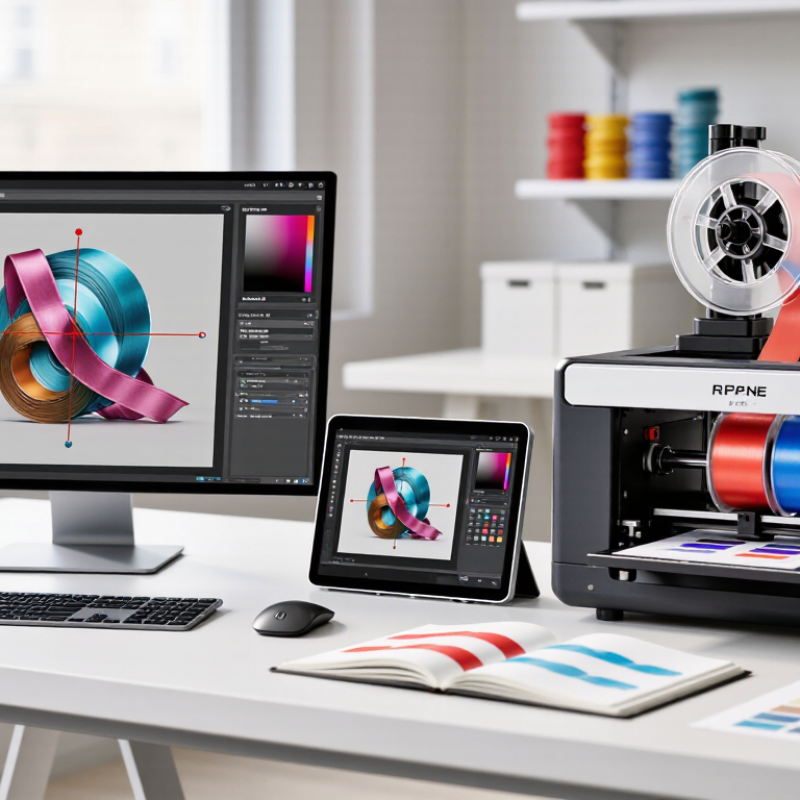
Choosing software for a digital ribbon printer is not simply a matter of installing a printer driver. The real question is, What software is needed for digital ribbon printers, and how should each tool work together? A practical setup usually includes graphic design software, RIP software, color-management tools, and the printer manufacturer’s control utility. Each program handles a different stage, from artwork preparation to ink placement and final output.

Mark Coudray, an experienced apparel-decoration educator, has often stressed this principle: “A repeatable process creates repeatable results.” That idea applies strongly to ribbon printing. A designer may create artwork in Adobe Illustrator or CorelDRAW, then send it to RIP software such as Digital Factory, Wasatch, or another compatible platform. The RIP controls color separation, resolution, ink limits, mirroring, and media settings. These details matter when printing narrow satin ribbon, where small text can blur quickly.

Color management deserves careful attention. A profile that works on cotton may fail on polyester ribbon. Testing is unavoidable. A printed red may appear darker after heat transfer, especially when the ribbon surface reflects light. The printer utility also monitors nozzle checks, cleaning cycles, and ink levels. Ignoring these controls can create expensive waste.

The workflow is not always elegant. Compatibility problems still occur. Some software interfaces feel dated, and automatic color correction can produce disappointing results. Operators should record settings, test short lengths, and compare results under real lighting. Reliable production comes from verified settings, not optimistic assumptions. That is the practical standard behind professional digital ribbon printing.
What Software Is Needed for Digital Ribbon Printers?

Core Software Categories for Digital Ribbon Printing

Digital ribbon printing depends on several software categories working together. The design application creates artwork, text, barcodes, and repeat patterns. It should support accurate sizing and clear vector shapes. Small details matter when ribbons are viewed from close range.

A raster image processor, or RIP, converts artwork into printable data. It manages resolution, color separation, ink limits, and output direction. Color management software helps match the screen preview with the printed ribbon. Calibration profiles are useful when fabric, ink, or temperature changes. This stage often needs practical testing, not assumptions. A color can look correct on screen but print too dark.

Printer control software sends jobs and adjusts speed, tension, heating, and alignment. Production workflow software can organize orders, batch files, and repeat designs. Monitoring tools record errors, material usage, and maintenance intervals. These records improve consistency across long print runs. However, automation is not always flawless. A neglected sensor or incorrect media setting can spoil several meters before anyone notices. Operators should inspect the first sample, check registration, and review printed colors under stable lighting. Secure file storage and access controls also protect customer artwork. The best setup is not the most complicated one. It is the system the team can operate, test, and correct reliably.

Designing Ribbon Artwork with Vector and Layout Tools

Digital ribbon printing begins with clean artwork, not the printer itself. Vector software is essential because logos, borders, and lettering must remain sharp at narrow widths. Smithers’ The Future of Digital Textile Printing to 2028 estimates the market could reach about $3.94 billion by 2028. That growth increases the need for production-ready files.

Use vector paths for shapes and lettering. Avoid tiny details that may disappear on a 15-millimeter ribbon. Layout software helps arrange repeated motifs, spacing, bleed, and color references across the full roll. I usually build a ribbon template first, then test one short section before approving the complete file. It saves material. Sometimes, my first layout still feels too crowded. That is useful feedback, not failure.

Tips: Keep important artwork inside a safe area. Convert final text to outlines. Use measured swatches, not screen color alone. Export a press-ready PDF or vector file, and confirm the printer’s required color profile. The 2023 FESPA Print Census reported that 56% of print businesses planned to increase automation investment, showing why accurate, repeatable files matter. A practical workflow should include naming rules, version control, and a physical proof. Digital previews can mislead. Test the ribbon under real lighting before production.

Preparing Files for Color, Size, and Print Quality

What Software Is Needed for Digital Ribbon Printers?

Preparing files for ribbon printing starts with a vector design application and a reliable RIP workflow. Vector files keep logos and fine lettering sharp when ribbon dimensions change. A layout application helps set repeats, margins, bleed, and cut lines accurately. Use the printer’s actual width, not a guessed canvas size. Even a 2-millimeter error can shift a repeating pattern.

Color needs more attention than many beginners expect. Convert artwork through an agreed ICC profile, then check spot colors, transparency, and overprint settings. ISO 12647-2 provides process-control principles for consistent color reproduction, although ribbon materials may behave differently. The FESPA Print Census reported strong growth in digital-print adoption and shorter production runs. That trend makes dependable color presets increasingly valuable. Still, a screen preview is not proof.

Resolution should match viewing distance and ribbon width. A 300 ppi image may work for close-up labels, while distant decorative ribbon can tolerate less. The RIP should preview scaling, nesting, ink limits, and banding before production. Smithers’ digital textile printing research identifies continued double-digit growth in this sector, increasing pressure for repeatable file preparation. I still make test strips. Small color shifts often appear only after heat, pressure, or fabric absorption changes. Check the first meter under real lighting, not only beside the monitor.

Operating Printers with RIP and Device Control Software

What Software Is Needed for Digital Ribbon Printers?

Operating Printers with RIP and Device Control Software

Digital ribbon printing usually requires two connected software layers: RIP software and device control software. The RIP converts artwork into precise print data. It manages resolution, color separation, ink limits, and repeat patterns. Device control software then sends that data to the printer and monitors its operation. This separation makes troubleshooting easier. If colors look wrong, check the RIP settings first. If feeding becomes uneven, inspect device controls and media settings.

A reliable workflow begins with the correct material profile. Set ribbon width, print speed, ink density, and drying conditions before production. Use test strips to compare small color blocks under consistent lighting. Keep approved profiles in a controlled folder. Record changes in a simple production log. These details prevent repeated guesswork. They also help operators reproduce results across different jobs.

Remote monitoring can display temperature, ink status, media movement, and error alerts. Some systems support job queues, user permissions, and automatic file checks. These features reduce interruptions, but they cannot replace operator judgment. I have seen carefully prepared files fail because the ribbon was loaded with slight tension. Software cannot correct every physical problem. Calibration should be repeated when materials, printheads, or environmental conditions change. No setup is perfect. Review results honestly, especially when the first sample appears acceptable.

Managing Fonts, Workflow, and Production Records

Digital ribbon printing depends on more than a layout editor. The software must manage fonts, artwork, job settings, and production records in one dependable workflow. A font manager helps operators find approved typefaces quickly. It should show previews, language support, and missing-font alerts before printing begins. Small details matter. A single substituted character can change a care label, product code, or registration line. Clear naming rules reduce hesitation and repeated checks during daily production.

Workflow software connects order intake, design approval, preflight, printing, and inspection. Each job should carry material, color, width, speed, and drying notes. Operators need visible status changes, not hidden updates. A shared queue can prevent duplicate files and reveal urgent work. However, automation is not always correct. I once saw a saved preset carry an old ribbon width into a new job. The system worked, but the review habit failed. Human verification remains essential.

Production records turn individual jobs into usable evidence. Record the file version, operator, machine settings, ink batch, inspection result, and reprint reason. Searchable logs make troubleshooting faster and support consistent training. Access controls also protect approved artwork from casual changes. Keep records readable. Not just databases. Even experienced teams miss notes during busy shifts, so corrections should remain visible and easy to review. Weekly checks of fonts, templates, and job history can expose weak points before they create waste.

FAQS

What software is needed for digital ribbon printing?

Most workflows need RIP software and device control software. The RIP prepares print data. Device software sends it and monitors the printer.

What does RIP software control?

It manages resolution, color separation, ink limits, and repeat patterns. Accurate settings help create stable, repeatable ribbon designs.

What should operators set before production?

Set ribbon width, print speed, ink density, and drying conditions. Confirm the material profile before starting the main job.

How can operators check color accuracy?

Print small test strips with several color blocks. Compare them under consistent lighting. Small tests help.

What causes uneven ribbon feeding?

Incorrect tension, media settings, or loading can cause uneven movement. A carefully prepared file cannot fix a physically misaligned ribbon.

Can remote monitoring replace an operator?

No. It can show temperature, ink status, media movement, and alerts. Human judgment remains necessary during setup and inspection.

How can font problems be prevented?

Use a font manager with previews, language support, and missing-font alerts. A substituted character may change a product code or care label.

What information should each production record contain?

Record the file version, operator, machine settings, ink batch, inspection result, and reprint reason. Keep corrections visible and easy to review.

How can workflow software reduce production mistakes?

It connects order intake, design approval, preflight, printing, and inspection. Shared queues can prevent duplicate files and show urgent work.

When should calibration be repeated?

Repeat calibration after changing materials, printheads, or environmental conditions. An acceptable first sample may still hide a weak setting. Review honestly.

Conclusion

What software is needed for digital ribbon printers depends on the production process, from artwork creation to final output. Vector design and layout software helps users create clean logos, patterns, text, and decorative elements while maintaining accurate proportions. File preparation tools are also important for setting ribbon dimensions, selecting suitable color modes, managing transparency, and preserving high image quality. These steps help ensure that designs remain sharp and properly aligned during printing.

RIP software and printer control applications manage color conversion, ink settings, resolution, media placement, and print sequencing. In addition, font management tools help prevent missing or substituted typefaces, while workflow software can organize job details, revisions, and production records. Together, these software categories create a more reliable and efficient ribbon printing workflow, helping operators maintain consistency, reduce errors, and produce professional results across different materials and design requirements.

Madeline

Madeline

Madeline is a dedicated marketing professional with a wealth of expertise in our company's core offerings. With a keen understanding of the industry, she brings a unique perspective to her role, consistently delivering high-quality content that highlights the superior aspects of our products. As......