Why Does My PVC Card Printer Leave White Edges Issues?

Time:2026-08-19 Author:Oliver
0%

When using a PVC card printer, one common frustration is discovering white edges on printed cards. This issue can compromise the look of your cards and affect their professionalism. Many users ask, "Why does my PVC card printer leave white edges?" Understanding the reasons behind this problem is crucial for finding effective solutions.

The white edges can result from several factors, including incorrect settings, low-quality materials, or even printer alignment issues. A detailed examination of your printing process can reveal potential pitfalls. Sometimes, the printer may not be calibrated correctly, leading to misalignment during printing. In other instances, using incompatible card stock can exacerbate the issue, leaving unwanted margins.

Reflecting on your printing practices can help identify and resolve these common issues. Are you using the right type of PVC cards? Have you checked your printer's alignment and settings? Addressing these concerns requires a combination of knowledge, skill, and sometimes a bit of trial and error. Recognizing these details can enhance your printing output and reduce those pesky white edges.
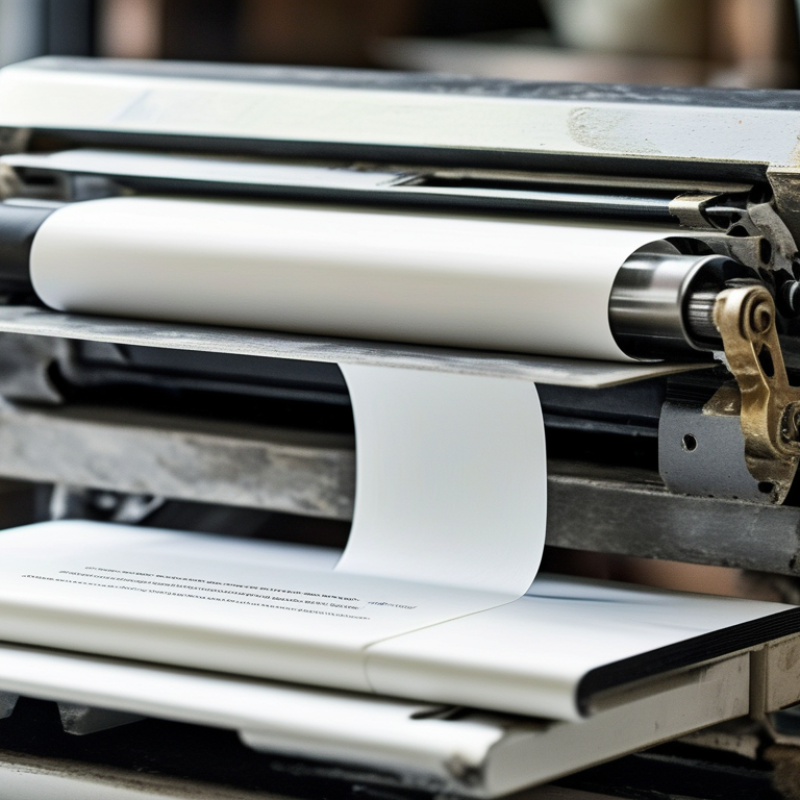
Why Does My PVC Card Printer Leave White Edges Issues?

Understanding PVC Card Printer White Edges Issues

When using a PVC card printer, encountering white edges on your printed cards can be frustrating. These white edges may indicate several underlying issues, affecting the quality of your output. One common reason for this issue is improper card alignment. If the card feed is misaligned, it can prevent the print head from covering the entire surface. Ensuring that the cards are loaded correctly is essential to achieving a full-print finish.

Another potential cause is a worn-out print head. Over time, the print head may lose its ability to apply ink uniformly across the card's surface. Regular maintenance and cleaning are necessary to preserve the printer's performance. Additionally, using low-quality PVC cards can contribute to the appearance of white edges. Cards that aren't compatible with your printer might not absorb the ink properly, resulting in uneven prints.

Examining your printer settings can also uncover hidden problems. Sometimes, incorrect resolution or color settings can lead to unexpected results. Be sure to double-check the specifications required for your printer model. While troubleshooting these issues can be a trial-and-error process, taking the time to understand the factors at play will ultimately lead to better printing outcomes. Regularly assessing your setup will enhance your overall experience with PVC card printing.

Common Causes of White Edges on PVC Cards

White edges on PVC cards can be frustrating. They often indicate a misalignment during the printing process. This issue may stem from improper card loading. When cards aren't positioned correctly, the printer may not print to the edge as intended. Additionally, worn-out printer rollers can lead to similar problems. These rollers are critical in pulling the cards through the printer.

Another common cause is issues with the print settings. If the document layout isn't adjusted to fit the card size, white edges can appear. This can happen when printing from software that doesn’t fully support card dimensions. Regularly checking and updating print settings can help avoid this issue. It's essential to use high-quality media and maintain the printer properly.

It’s important to remember that even slight misalignments can cause noticeable defects. Regular maintenance checks on your printer can ensure optimal performance. You should consider testing with a few print runs to identify specific problems. This reflective approach can provide valuable insights into your printing setup.

Why Does My PVC Card Printer Leave White Edges Issues? - Common Causes of White Edges on PVC Cards

Cause Description Solution
Incorrect Alignment The PVC card is not aligned properly in the printer. Recheck the card's alignment and ensure it is positioned correctly.
Low-Quality Cards Using substandard PVC cards can lead to poor printing results. Use high-quality PVC cards recommended for your printer.
Dirty Print Head A build-up of dust or ink can obstruct the print head. Regularly clean the print head as per the manufacturer's guidelines.
Incorrect Settings Printer settings may not match the card specifications. Check and adjust printer settings to match the card size.
Worn-Out Components Old or damaged rollers and print ribbons can cause printing issues. Replace worn-out components to restore optimal printing quality.

How to Adjust Printer Settings for Edge Printing

When using a PVC card printer, you might notice unwanted white edges around your prints. These edges can stem from incorrect printer settings. Adjusting these settings is crucial for achieving edge-to-edge printing.

Start by ensuring that your design file matches the printer’s native resolution. Most printers work best at 300 DPI for sharp images. Use software that allows you to set your image bleed. A typical bleed should extend at least 1/8 inch beyond your card's edge. This ensures that when the card is cut, no white edges appear.

Tips: Check your software settings. Make sure you select “full bleed” before printing.

Calibration of your printer is also essential. Sometimes, the printer can shift during the feed process. Regularly check and align your cards. This helps to minimize misalignment, which can lead to uneven printing.

Tips: Conduct regular maintenance checks on the printer rollers. A clean printer often produces better results.

Being aware of the challenges involved is part of the process. Constantly learning from each printing session helps refine techniques. Embrace the imperfections to enhance your skills.

Maintenance Tips for Preventing White Edges

White edges on PVC cards can be frustrating. These issues often arise from improper printer maintenance. Regular upkeep can significantly improve print quality and reduce these pesky white edges.

One effective tip is to clean the printer's rollers frequently. Dust and debris can accumulate, causing misalignment during the printing process. Use a lint-free cloth and suitable cleaning solution. Make sure to follow the manufacturer's guidelines. This simple maintenance step can prevent a lot of printing headaches.

Another critical aspect is checking the printer's alignment settings. A slight misalignment can lead to edge issues. Regularly inspect the alignment and adjust it if necessary. Keep an eye on the calibration during every print job. Taking these proactive steps ensures a smoother printing experience and minimizes imperfections. Remember, small adjustments can lead to significant improvements.

Troubleshooting Steps for PVC Card Printer Issues

When troubleshooting white edges on PVC cards, several factors could be affecting the print quality. One common cause is misalignment during the card feeding process. If cards are slightly off-center, the printer may not apply ink uniformly. According to a 2022 industry report, misalignment can occur in 15% of users with entry-level models. This issue can often be resolved by regularly checking the printer's alignment settings and ensuring the trays are properly adjusted.

Another area to inspect is the cleaning of the printer. Dust and debris can accumulate on the printhead and rollers, leading to inconsistent printing. Regular cleaning is essential. In fact, manufacturers suggest cleaning the printer every 500 prints to maintain optimal performance. Ignoring this can lead to persistent issues like streaks or edges. It’s worth noting that many users overlook this maintenance step and report recurring problems.

The choice of PVC card material matters too. Poor-quality cards may not absorb ink well, exacerbating white edge issues. Data indicates that using high-quality card stock can enhance print uniformity. Investing in premium materials is, therefore, a critical step many in the industry overlook. Regular troubleshooting and maintenance, combined with the right materials, are essential for high-quality printing results.

White Edges Issues in PVC Card Printing

This chart illustrates the frequency of white edge issues reported during PVC card printing over various troubleshooting steps. The data suggests that a significant number of users encounter white edges while performing specific actions, highlighting areas for improvement in printing processes.

FAQS

: What causes white edges on PVC cards?

: White edges often indicate misalignment during printing. Improper card loading can cause this issue.

How can card alignment be improved?

Regularly check the printer's alignment settings. Ensure the trays are properly adjusted to avoid misalignment.

What should I consider when loading PVC cards?

Cards must be positioned correctly. Slight misalignments can lead to noticeable print defects.

How can I maintain my printer's performance?

Regular maintenance checks are vital. Clean the printer every 500 prints to prevent issues.

Does the print settings affect the card quality?

Yes, improper print settings can cause white edges. Adjust the document layout to fit the card size.

Can dust and debris affect printing quality?

Yes, dust can accumulate and lead to inconsistent prints. Regular cleaning prevents recurring issues.

Why is card material important?

Poor-quality cards may not absorb ink well. High-quality materials enhance print uniformity significantly.

What should I do if problems persist?

Reflect on your printing setup. Testing with a few print runs can help identify specific issues.

How often should printer maintenance be performed?

It's recommended to perform maintenance regularly. Many users overlook this, which can lead to persistent problems.

Can software affect printing results?

Yes, using software that doesn’t fully support card dimensions can cause white edges. Adjust settings accordingly.

Conclusion

If you're wondering, "Why does my PVC card printer leave white edges?", you’re not alone. White edges on printed PVC cards can stem from several common issues such as misaligned cards, incorrect printer settings, or worn-out equipment. It’s essential to understand these potential causes to effectively troubleshoot the problem.

To resolve white edge issues, first check your printer settings to ensure they are configured for edge-to-edge printing. Regular maintenance, including cleaning the print head and updating firmware, can also help prevent this problem. By following these troubleshooting steps and adjusting your printer settings, you can significantly improve the quality of your printed PVC cards and eliminate those frustrating white edges.

Oliver

Oliver

Oliver is a seasoned marketing professional with a wealth of expertise in driving brand awareness and engagement. With a deep understanding of our company's product offerings, he consistently delivers high-quality content that enriches our professional blog. His insights not only shed light on......