Industrial printers can expose operators to moving belts, heated components, high-voltage systems, and inks or cleaning fluids. A machine may look harmless while idle. During a print run, however, a loose sleeve near a roller or an unguarded curing lamp can create real risk. What are the safety requirements for industrial printers in 2026? The answer depends on printer design, materials, workplace conditions, and applicable local rules. There is no single checklist that fits every installation.
A sound safety program starts with the manufacturer’s instructions and a documented workplace risk assessment. It should address fixed guards, interlocks, emergency stops, electrical isolation, and lockout procedures before maintenance. Ventilation matters when inks, solvents, powders, or heated materials can release fumes. Keep chemical labels and safety data sheets accessible, and select gloves or other protective equipment for the specific substances involved. Train staff to clear jams safely, recognize warning signs, and report damaged cables or bypassed guards. Keep walkways clear. Test emergency stops.
Requirements and technical standards can change, and equipment differs widely. Confirm current obligations with qualified safety professionals and relevant authorities; do not rely on a generic online list alone. Even careful procedures can fail when production pressure rises. That deserves honest review. Regular inspections, incident reporting, and refresher training help reveal gaps before someone gets hurt.
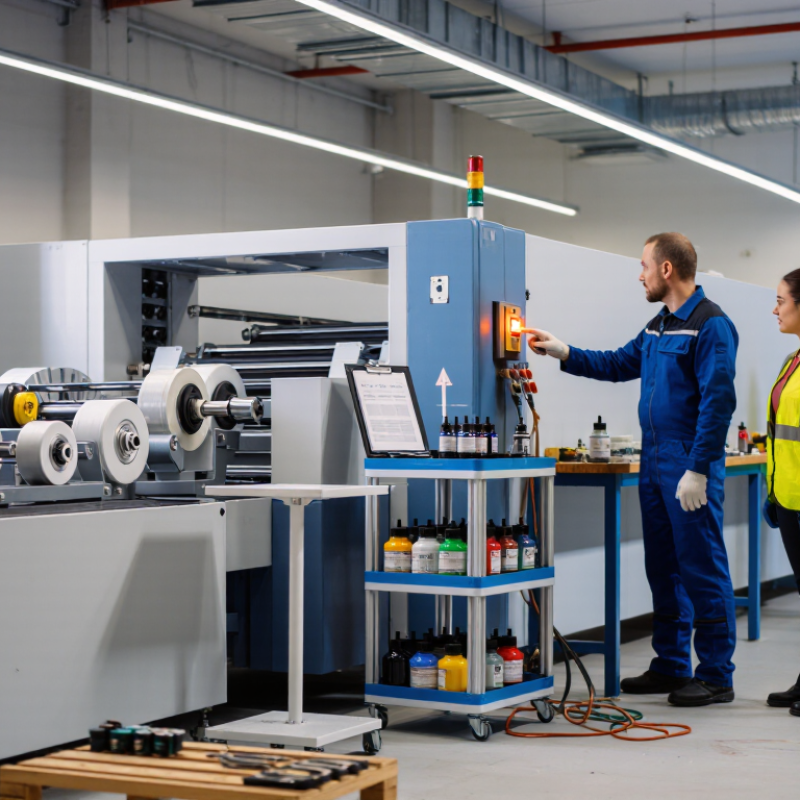
Industrial printer safety covers the people, materials, equipment, and work practices involved in printing, setup, cleaning, and maintenance. It is broader than a machine’s emergency stop or protective cover. A practical assessment considers how operators actually use the printer, including routine tasks performed under time pressure.
The hazards depend on the process. Moving rollers can catch loose clothing, while heated components may burn skin. Inks and cleaning fluids can irritate eyes or skin, so workers should check product safety information, use suitable protective equipment, and store containers securely. Ventilation matters when a process releases vapors or fine particles. Keep walkways clear, too; a cable across a busy floor is easy to overlook.
Safety also includes electrical isolation before servicing, accessible guards, clear operating instructions, and training tailored to each task. Maintenance staff need to know which parts remain hot or energized after shutdown. Procedures should reflect the actual printer and materials, not a generic checklist alone. Small details count. A blocked vent or a missing guard can change the risk. Requirements vary by location and equipment, so organizations should verify applicable standards with qualified safety personnel. Near-miss reports can reveal gaps, although busy teams may not report every one. That deserves attention.
Industrial printer safety in 2026 starts with hazards people can see and touch. Rollers, belts, cutter assemblies, and printhead carriages can pinch fingers or catch loose clothing. Keep guards in place, and never reach inside while equipment is moving. A sleeve can snag quickly. Before clearing jams or servicing the machine, follow the site’s energy-isolation procedure and account for stored pressure or heat.
Electrical risks include damaged cords, exposed wiring, and poorly grounded equipment. Inspect cables for cuts or crushed sections, especially near wheels and service panels. Chemical exposure can come from inks, cleaning fluids, and coatings. Read the current safety data sheets, provide suitable ventilation, and select gloves based on the specific product. “Low odor” does not mean harmless. Keep containers labeled and closed; clean spills using the product’s instructions, not guesswork.
Fire prevention deserves equal attention. Heated platens, curing lamps, and dryers can ignite nearby paper, lint, or solvent residue. Keep combustible materials clear of hot surfaces, maintain accessible emergency shutoffs, and remove dust during scheduled cleaning. Staff should know how to respond to smoke or unusual heat without opening energized panels. Requirements vary by equipment and location, so confirm current local rules and the printer’s operating manual. A checklist helps, but it can miss a blocked vent or a guard left open after rushed maintenance.
Industrial printers combine moving rollers, hot components, and ink or coating systems, so guarding must reflect the actual task. Keep belts, gears, and nip points behind fixed covers or interlocked doors wherever operators could reach them. An interlock should stop hazardous motion when a cover opens, and it should not be easy to defeat. Small gaps matter. During setup, cleaning, and jam removal, use documented energy-isolation steps rather than relying on a stop button. A stopped display does not prove that stored motion or heat is gone.
Electrical controls deserve equal attention. Place control panels in suitable enclosures, keep them closed, and protect cables from abrasion, heat, and vehicle traffic. Verify grounding, overcurrent protection, and emergency-stop function during scheduled inspections, following equipment instructions and applicable local requirements. Only trained, authorized staff should open electrical panels or test live circuits; de-energize equipment before work when practicable. A checklist helps, though it can become a tick-box habit if nobody observes real work. Operators should report loose guards, damaged insulation, unusual smells, or repeated trips promptly. Record repairs, then confirm safeguards function before returning the printer to production.
What Are Industrial Printer Safety Requirements in 2026?
Establishing Safe Operating Procedures and Worker Training
Safe operation starts with procedures workers can use beside the machine, not just in a binder. Document startup, shutdown, jam clearing, cleaning, and maintenance steps for each printer. Train operators to identify pinch points, hot curing units, moving printheads, and ink or cleaning-agent hazards. Before maintenance, require energy isolation and verification that the equipment cannot restart. The U.S. Bureau of Labor Statistics reported 2.6 million nonfatal workplace injuries and illnesses in private industry in 2023, or 2.4 cases per 100 full-time-equivalent workers. That figure is not specific to printing, but it shows why routine hazard controls matter.
Training should include a hands-on demonstration: stop the machine, locate emergency controls, and explain when guards must stay in place. Recheck skills when equipment, materials, or job tasks change. Keep training records, incident reports, and maintenance checks together, then review them with workers. OSHA’s Recommended Practices for Safety and Health Programs emphasizes worker participation and hazard identification. A checklist can still become wallpaper. Ask operators what feels awkward or gets skipped, and revise procedures when real work exposes a gap.
Tips: Use a brief shift-start check. Confirm guards are secure, ventilation is running, and emergency stops are reachable. Never clear a jam while moving parts remain active. If a procedure is unclear, pause and ask a supervisor.
Industrial printer safety depends on routine care, not just guards and warning labels. Before each shift, check cables, covers, ventilation openings, and emergency stops. Look for ink or solvent leaks around fittings, dried residue near printheads, and unusual heat or noise. Small checks matter. Record faults and repairs in a shared log, including recurring jams that may seem minor. A quick restart can hide a problem rather than fix it.
Follow the equipment maker’s maintenance instructions, and isolate power before cleaning or clearing a jam when the procedure requires it. Printheads and nearby components may remain hot after shutdown. Use the specified cleaning materials, wear suitable protective equipment, and keep containers closed when not in use. Do not improvise with tools or liquids. A tidy work area helps, though it cannot replace careful training.
Prepare for emergencies where operators can see and reach the controls. Keep exits clear, post simple response steps, and make sure staff know how to stop the machine and report smoke, spills, or injury. Practice evacuation routes and spill response with the materials actually used on site. Practice the route. Review the plan after equipment changes or near misses; written procedures can look complete while leaving practical gaps.
| Safety Area | Key Requirement | Practical Controls | Inspection or Action | Emergency Preparation | Reference (U.S.) |
|---|---|---|---|---|---|
| Machine guarding | Protect employees from accessible moving parts and other machine hazards. | Keep guards in place around rollers, belts, gears, cutting units, and automatic feed mechanisms. Do not bypass interlocks or operate equipment with damaged guards. | Check guards and safety devices before operation and after maintenance or adjustment. | Know how to stop the machine using its emergency-stop controls; report failed guards and keep the unit out of service until made safe. | OSHA 29 CFR 1910.212 |
| Lockout/tagout during servicing | Control hazardous energy when employees service or maintain equipment where unexpected startup or energy release could cause injury. | Use the facility’s energy-control procedure to isolate and verify electrical, pneumatic, hydraulic, and stored energy. An emergency-stop button is not an energy-isolating device. | Apply the required lockout/tagout steps before covered work. Periodically inspect energy-control procedures at least annually, as required by the standard. | Only authorized employees should remove locks under the employer’s procedure. Keep energy-control instructions accessible to affected staff. | OSHA 29 CFR 1910.147 |
| Electrical safety | Use electrical equipment and installations appropriate to the work environment and keep them in safe condition. | Keep electrical panels and disconnects accessible; protect cables from abrasion, heat, liquids, and vehicle traffic. Do not use damaged cords or open electrical enclosures without authorization. | Include plugs, cords, disconnects, and visible enclosures in routine workplace checks. Arrange repairs through qualified personnel. | Know the location of the correct disconnect and follow site procedures for electrical incidents; do not touch a person who may still be in contact with energized equipment. | OSHA 29 CFR 1910 Subpart S |
| Ink, solvent, and cleaning chemicals | Identify chemical hazards and provide required information, training, and protective measures for hazardous chemicals. | Maintain accessible safety data sheets (SDSs), keep containers labeled, use compatible gloves and eye protection where the SDS or risk assessment requires them, and store chemicals as directed. | Check labels, containers, and storage areas; replace leaking or damaged containers using the site’s chemical-handling procedure. | Follow the SDS and facility spill plan. Use the specified spill controls only if trained and equipped; evacuate and alert responders when the spill exceeds site capability. | OSHA 29 CFR 1910.1200 |
| Ventilation and exposure control | Assess and control airborne contaminants that may be generated by inks, solvents, cleaning, or curing processes. | Use required local exhaust or other exposure controls; keep extraction points unobstructed. Do not assume general room ventilation is sufficient for every process. | Check that ventilation is operating as intended and report changes in odor, visible emissions, or system performance for evaluation. | If a release causes symptoms or an unsafe atmosphere, leave the affected area and follow the site’s alarm and response procedures. | OSHA 29 CFR 1910.1000; 1910.94 where applicable |
| Laser and UV equipment | Prevent exposure to hazardous optical radiation from laser printers, laser marking systems, or UV-curing units. | Keep protective enclosures and interlocks functional. Do not defeat safeguards or look into a beam or curing source; follow the equipment’s hazard labels and instructions. | Inspect enclosures, interlocks, and warning indicators as specified by the equipment procedure; remove defective equipment from service. | Restrict access to the hazard area and follow site procedures for suspected eye or skin exposure, including prompt medical evaluation when indicated. | OSHA 29 CFR 1910.97; applicable laser product requirements may also apply |
| Fire prevention and response | Keep fire protection equipment accessible and ensure employees know how to report a fire and evacuate. | Control ignition sources and combustible materials; store flammable liquids in accordance with applicable requirements. Select extinguishers appropriate to the anticipated fire hazards. | Keep access to extinguishers and exits clear. Where portable extinguishers are provided, OSHA requires monthly visual inspections and annual maintenance. | Post or communicate alarm, evacuation, and assembly procedures. Employees should use an extinguisher only when trained, authorized, and able to do so safely. | OSHA 29 CFR 1910.157; 1910.106 where applicable |
| Emergency stops and incident reporting | Ensure employees understand how to respond to foreseeable equipment emergencies and promptly report hazards and incidents. | Keep emergency-stop controls identifiable and unobstructed. Train operators on the printer’s stop, restart, and fault procedures. | Verify controls are accessible during routine checks; investigate reported malfunctions before returning equipment to operation. | Follow the facility’s emergency action plan for alarms, evacuation, medical emergencies, and incident notification. | OSHA 29 CFR 1910.38; 1910.212 |
| Training and maintenance records | Provide task-appropriate training and maintain the records required by applicable rules and facility procedures. | Train operators on hazards, safe operating limits, guarding, chemical information, and escalation procedures. Restrict maintenance tasks to trained and authorized personnel. | Document required training and inspections; follow the equipment manufacturer’s maintenance instructions and the facility’s preventive-maintenance schedule. | Review emergency roles and procedures with affected employees and update training when equipment, processes, or hazards change. | Applicable OSHA standards and facility procedures |
Scope note: This table summarizes general workplace practices and U.S. federal OSHA references; it is not a complete compliance checklist. Applicable requirements depend on the printer type, materials, work process, state or local rules, and site-specific hazard assessment. Follow the equipment manual and your employer’s safety procedures.
Document startup, shutdown, jam clearing, cleaning, and maintenance steps for each machine. Keep instructions where operators can use them.
Train workers to spot pinch points, hot curing units, moving printheads, and ink or cleaning-agent hazards. Some risks are easy to overlook.
Follow the machine’s procedure and isolate energy when required. Verify that the printer cannot restart before reaching inside.
Check that guards are secure, ventilation is running, and emergency stops are reachable. Look for leaks, residue, unusual heat, or noise. Small checks matter.
Record faults and repairs in a shared log, including repeated jams. A quick restart may hide the underlying problem.
Demonstrate how to stop the printer and locate emergency controls. Recheck skills when equipment, materials, or tasks change.
Keep exits clear, post simple response steps, and make stop controls easy to reach. Practice evacuation and spill response using materials present on site.
Ask operators what feels awkward or gets skipped, then revise the instructions. A checklist can become wallpaper. Review near misses, too.
Industrial printer safety in 2026 starts with understanding the equipment, its work environment, and the people who use or maintain it. What are the safety requirements for industrial printers? They include recognizing mechanical risks from moving parts, electrical hazards, exposure to inks or cleaning substances, and potential fire risks. Appropriate guards and protective devices should be in place, while electrical components and connections must be handled with care and inspected regularly.
Safe operation also depends on clear procedures and well-trained workers. Staff should know how to start, operate, clean, and shut down equipment safely, and understand when to stop work and report a concern. Routine maintenance can help identify wear or faults before they lead to an incident. Workplaces should also prepare for emergencies by keeping response instructions accessible, ensuring suitable safety equipment is available, and making sure workers know what to do if a hazard occurs.

Diem printer